
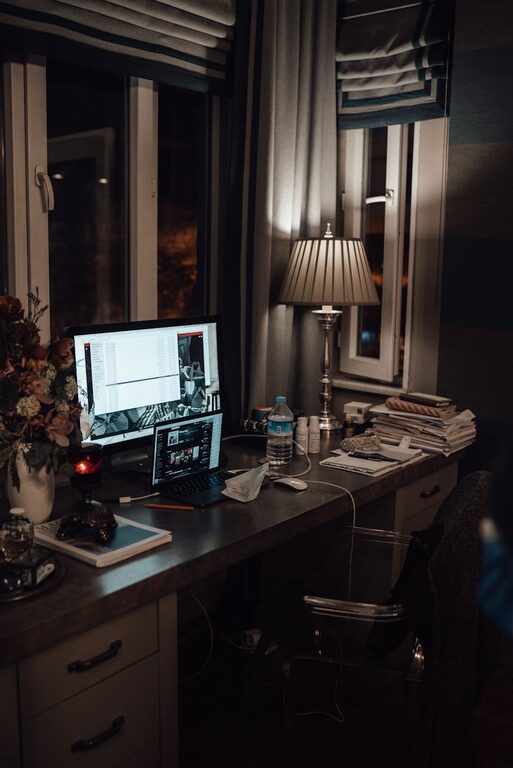
Tips for Creating a Cozy and Productive Home Workspace
Creating a home workspace that is both cozy and productive can transform the way you work from home. A well-designed environment helps increase focus, reduces stress, and makes your workday more enjoyable. Whether you have a dedicated room or just a small corner, you can optimize your space with a few thoughtful adjustments.
In this post, we’ll explore practical tips on how to make your home workspace inviting and efficient. From lighting to ergonomics, these ideas will help you create an area where you look forward to spending time.
Choose the Right Location
Find a Quiet, Dedicated Spot
Select a place in your home that is quiet and separate from distractions such as televisions or high-traffic areas. A dedicated workspace helps your brain associate that spot with work, making it easier to focus.
Consider Natural Light
Where possible, set up your desk near a window. Natural light improves mood and energy levels, making it easier to stay alert and productive throughout the day.
Focus on Comfort and Ergonomics
Invest in a Comfortable Chair
A supportive, adjustable chair is essential to prevent back pain and fatigue. Look for chairs that promote good posture and offer lumbar support.
Use an Adjustable Desk
If possible, use a height-adjustable desk. Alternating between sitting and standing can improve circulation and reduce physical strain.
Arrange Your Equipment Wisely
Keep frequently used items within easy reach to avoid unnecessary stretching. Position your computer monitor at eye level to reduce neck and eye strain.
Create a Cozy Atmosphere
Add Personal Touches
Incorporate elements that make you feel relaxed and happy, like a favorite plant, artwork, or photos. Personal touches can boost your mood and motivation.
Use Soft Lighting
Combine natural light with warm, adjustable artificial lighting. Desk lamps or floor lamps with dimmers create a cozy ambiance that’s easier on the eyes.
Control Temperature and Air Quality
Ensure your workspace is well-ventilated and comfortably heated or cooled. A good airflow and pleasant temperature can help maintain focus and comfort.
Organize Efficiently
Declutter Your Desk
Keep your workspace tidy by removing unnecessary items. A clutter-free desk reduces distractions and creates a sense of calm.
Use Storage Solutions
Use shelves, drawers, and organizers to keep supplies neat and accessible. Label containers or files to make things easy to find.
Plan Cable Management
Tidy up cords with clips, sleeves, or boxes to prevent tangling and to make your workspace look cleaner.
Establish Boundaries and Routine
Set Clear Work Hours
Define your work hours to separate professional time from personal time. This helps maintain work-life balance.
Use a Planner or Schedule
Plan your day with a to-do list or digital calendar. Structured tasks can improve productivity and reduce overwhelm.
Take Breaks
Schedule short breaks to stretch, walk, or relax. Regular breaks refresh your mind and can improve overall focus.
Incorporate Technology Thoughtfully
Choose Reliable Equipment
Invest in quality technology such as fast internet, a good headset, and a responsive keyboard to improve work efficiency.
Use Productivity Tools
Leverage apps for time management, note-taking, and communication to stay organized and connected.
Limit Distractions
Use features like “Do Not Disturb” or website blockers during focused work periods to minimize interruptions.
Maintain Your Workspace
Clean Regularly
Wipe surfaces and clean your equipment to keep your workspace hygienic and pleasant.
Reassess Periodically
Review your setup every few months and adjust as needed to improve comfort and efficiency.
—
By combining comfort, organization, and thoughtful design, your home workspace can become both a cozy retreat and a hub of productivity. These tips will help you create an environment where work feels less like a chore and more like an enjoyable part of your day.
