Tips for Creating a Cozy and Functional Home Office Space
Creating a home office that is both cozy and functional can greatly enhance your work-from-home experience. Whether you’re working full-time remotely or need a dedicated spot for occasional tasks, a well-designed space helps boost productivity and keeps you comfortable throughout the day. In this guide, we’ll share practical tips to help you create a home office that feels inviting and supports your workflow.
Choose the Right Location
The foundation of a good home office begins with selecting the right spot. Consider these factors when picking your location:
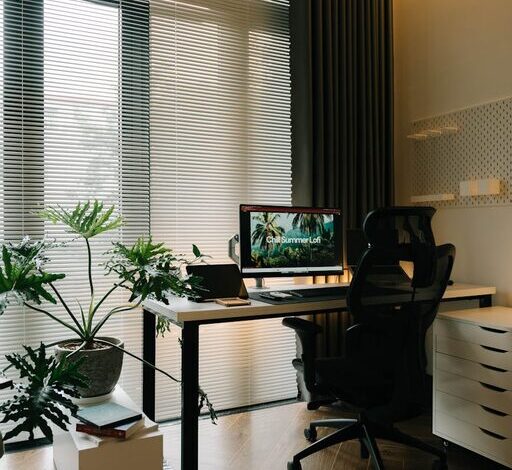
– Natural Light: Aim for a space with plenty of daylight. Natural light improves mood and focus.
– Quiet Area: Pick a quiet corner or room to minimize distractions.
– Privacy: If possible, choose a space away from high-traffic areas.
– Space Availability: Ensure there’s enough room for your desk, chair, and essential office equipment.
If you don’t have a separate room, use room dividers, curtains, or furniture to carve out a dedicated workspace.
Invest in Comfortable Furniture
Comfort is key to maintaining focus and avoiding physical strain. Keep these tips in mind:
– Ergonomic Chair: A supportive chair reduces back pain and improves posture.
– Desk Height: Choose a desk at a height that lets your arms rest comfortably while typing.
– Adjustable Options: Consider an adjustable desk or chair to customize your setup.
– Sufficient Surface Area: Your desk should have enough space for your computer, documents, and any tools you regularly use.
Adding a supportive footrest or standing mat can also enhance comfort.
Optimize Lighting
Good lighting reduces eye strain and creates an inviting atmosphere.
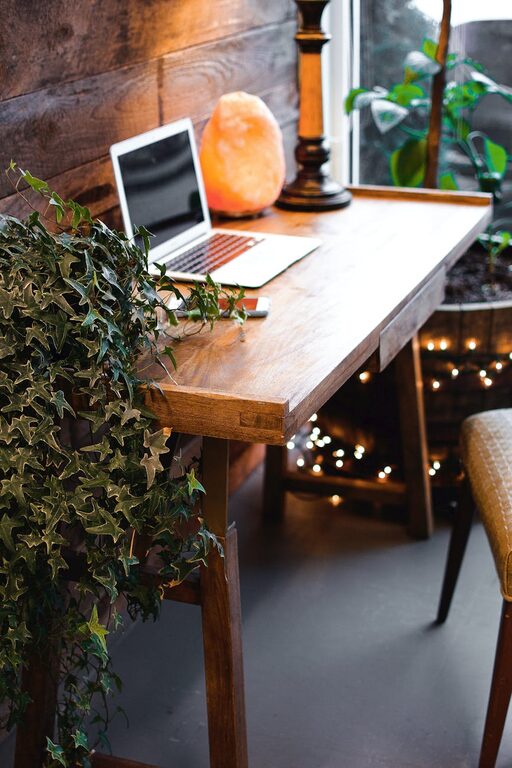
– Layer Your Lighting: Use a combination of overhead lights, task lamps, and ambient lighting.
– Avoid Glare: Position your monitor and lights to minimize reflections on the screen.
– Warm Bulbs: Choose light bulbs with a warm temperature to create a cozy feel.
If natural light is limited, daylight-mimicking bulbs are a great alternative.
Keep it Organized
A clutter-free environment helps you focus and keeps your workspace inviting.
– Storage Solutions: Use shelves, drawers, or filing cabinets to keep supplies out of sight.
– Desk Organizers: Small containers or trays can keep pens, paperclips, and notes orderly.
– Cable Management: Use clips or cable sleeves to prevent cords from tangling.
– Regular Tidying: Set aside a few minutes each day to straighten up your space.
Labeling storage bins can also make it easier to find what you need quickly.
Personalize Your Space
Adding personal touches can make your office feel warm and welcoming.
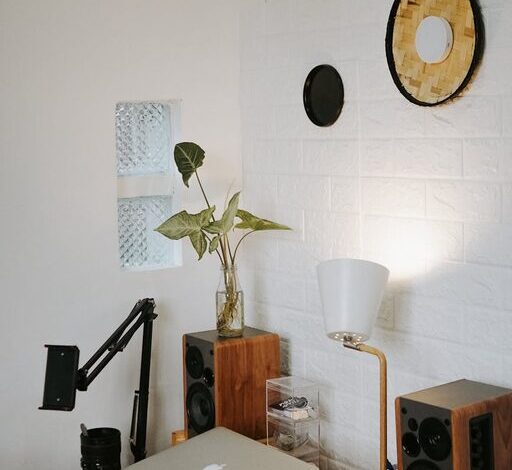
– Artwork and Photos: Hang pictures or art that inspire or relax you.
– Plants: Greenery adds life and improves air quality.
– Decor: Choose rugs, cushions, or curtains that reflect your style.
– Scent: Candles or diffusers with gentle fragrances can enhance comfort, but ensure your workspace is well-ventilated.
Be careful not to over-decorate; too many items can become distracting.
Create Zones for Different Tasks
If space allows, designating areas for specific activities can boost efficiency.
– Work Zone: The main desk area for computer work and writing.
– Reference Zone: A nearby spot for books, documents, or files.
– Break Zone: A small chair or corner with comfortable seating for short breaks or brainstorming.
Even a small office benefits from intentional zoning to separate tasks.
Manage Noise Levels
Noise can be a major distraction. Here are ways to control sound in your home office:
– Soundproofing: Use rugs, curtains, and upholstered furniture to absorb sound.
– White Noise: A white noise machine or fan can mask sudden noises.
– Headphones: Noise-canceling headphones are effective when you need deep focus.
– Set Boundaries: Let others in your household know your work hours to reduce interruptions.
Incorporate Technology Wisely
Technology supports productivity, but cluttering your space with gadgets can be counterproductive.
– Essential Equipment: Ensure you have reliable internet, a good computer, and necessary peripherals.
– Wireless Devices: Opt for wireless keyboards, mice, and printers to reduce cables.
– Charging Station: Create a specific place for charging your devices to keep cords organized.
– Screen Setup: Position monitors at eye level and at a comfortable distance to reduce strain.
Regularly update software to ensure smooth operation and security.
Maintain Good Air Quality and Temperature
Your comfort also depends on the air you breathe and the room temperature.
– Ventilation: Open windows when possible, or use an air purifier.
– Plants: As mentioned, plants can help improve air quality.
– Climate Control: Use fans, heaters, or air conditioners to maintain a comfortable temperature year-round.
A fresh, comfortable environment helps keep energy levels up.
Set a Routine and Use Your Space Intentionally
Designing your office is just the first step. To make the most of your cozy and functional workspace:
– Stick to Work Hours: Use your office during designated times to build focus.
– Take Breaks: Stand, stretch, or step away periodically to refresh.
– Limit Distractions: Keep non-work items out of sight during work hours.
– End-of-Day Ritual: Tidy up and shut down your workspace to separate work from home life.
By creating boundaries, your home office can be a place of both productivity and relaxation.
—
Creating a cozy and functional home office involves thoughtful choices about location, furniture, lighting, organization, and personalization. With these tips, you can design a space that not only looks inviting but also supports your daily work in a comfortable and efficient way. Remember, the best workspace is one that meets your individual needs and helps you feel motivated each day.